

To send Direct Messages (DMs) to any other BCPGP Mattermost user:
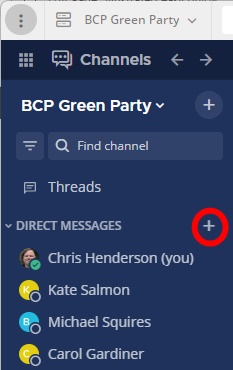
- In the dark blue bar on the left-hand side, scroll down past the Channels list to Direct messages.
- Click the + to the right of “Direct messages”.
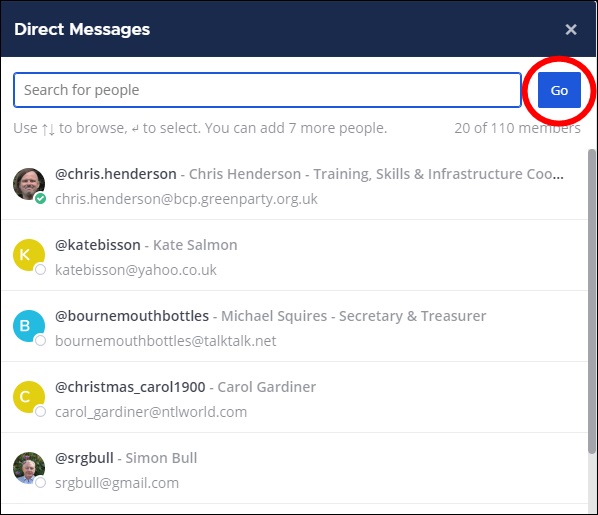
- In the pop-up window which appears:
- scroll down the list of Mattermost users, or
- start to type a name into the search box until the correct name is auto-suggested, then click on the name.
- If you want a DM with more than two participants, select more names. (The limit for a DM thread is eight participants including yourself.)
- Click the blue Go button at the top right-hand corner. Your DM thread will now appear in the main pane.