



Each post on Mattermost comes with its own shareable weblink. You can just copy (with two clicks) and share the URL of a post. With this you can:
- briefly draw a post (yours or someone else’s) on one Mattermost channel to the attention of readers of a different channel, or
- message BCPGP members on a different platform (e.g. WhatsApp) to point them to a particular Mattermost discussion.
So, to share the URL of a Mattermost post externally…
- Navigate to the channel or DM thread you want to share a post weblink from.
- Hover over the post you want to share.
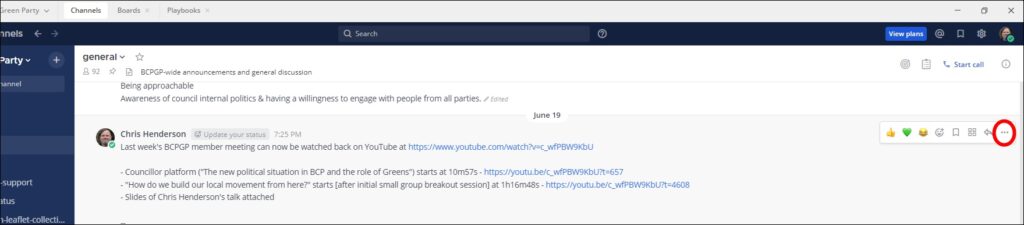
- Eight icons should appear in the top right-hand corner of the post. Click the rightmost button, three dots labelled More when you hover over it.
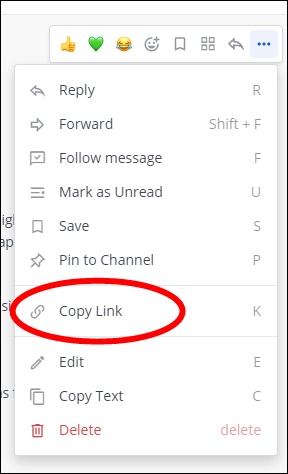
- From the drop-down menu, click Copy Link.
- Then you can paste the weblink you have copied, wherever it is needed (e.g. another Mattermost channel, into WhatsApp, into an email, etc).